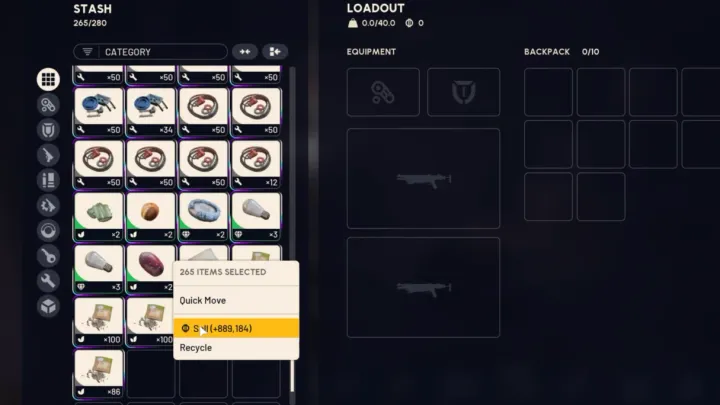
If you’ve gone looking for a stash value number anywhere in ARC Raiders, you already know the problem: there isn’t one. No HUD element, no inventory total, nothing. The only way to see it is to do the math yourself, and most guides on this still send you chasing a system that Embark Studios has since replaced. Here’s the method that actually works today, plus what stash value is still good for.
Update, October 8 (Frozen Trail 2.0): The maximum stash grew by two tiers to 328 slots (not counting Expedition or Nomadic Envoy bonuses), and you can now drop loot to the ground directly from containers. Neither change affects how stash value is calculated.
Table of Contents
- How to Check Your Stash Value Right Now
- The Old Date-Change Trick (And Why You Shouldn’t Bother)
- Why Stash Value Doesn’t Work the Way Older Guides Say
- Tools and Tips for Tracking Stash Value Over Time
- Key Takeaways
- FAQ
How to Check Your Stash Value Right Now
Embark hasn’t added a one-click stash value counter. The manual multi-select method is still the only built-in way to get a real number, on PC or console.
Before you start, click the Merge Stacks button at the top of your stash (it looks like two arrows pointing at each other). It consolidates partial stacks of the same item into fewer rows, which means a faster total.
| Platform | Steps |
|---|---|
| PC | Open your stash, select the “All” tab, hold Ctrl and click each item to select it, then right-click to see the combined sell value |
| PS5 | Open your stash, hold L2, press X on each item to select it, then press Triangle to see the combined sell value |
| Xbox | Open your stash, hold LT, press A on each item to select it, then press Y to see the combined sell value |
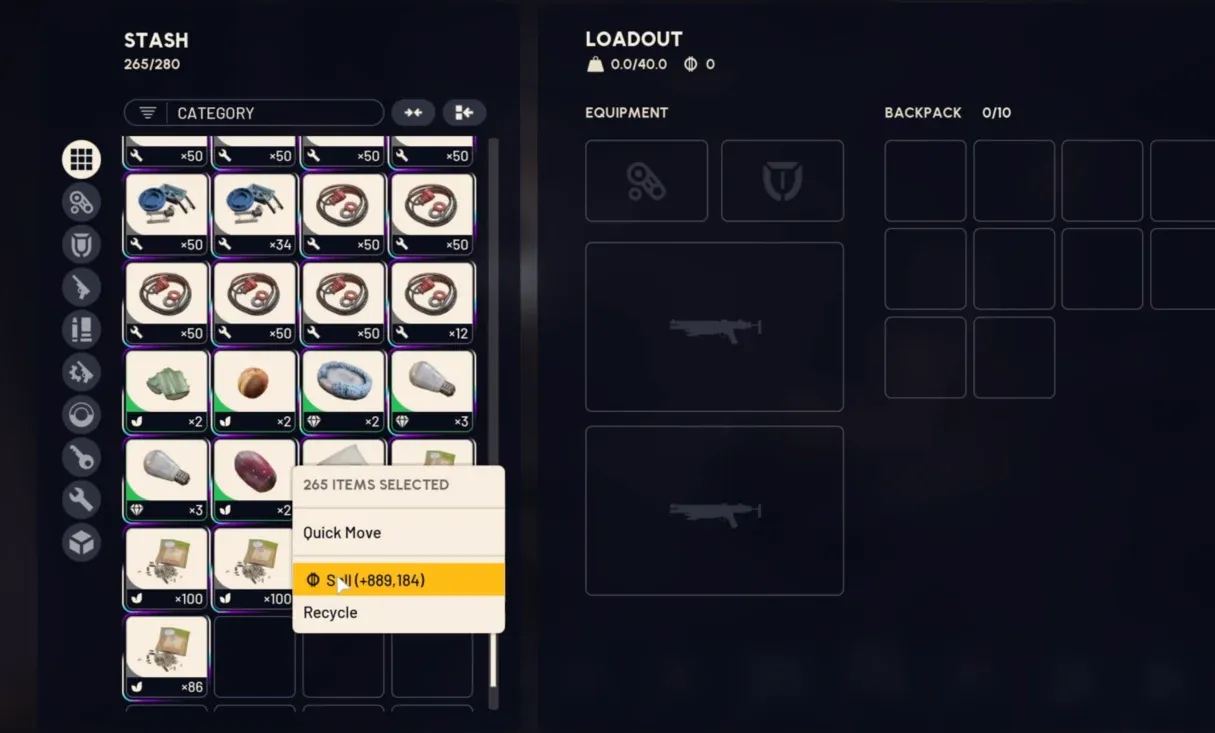
One warning worth repeating: don’t click directly on the sale price once it’s showing. That sells everything you’ve selected immediately, and there’s no undo.
Some players report a faster shortcut: sort your stash by value first, then just select the top rows instead of everything. That gets you a rough estimate without touching your common crafting junk, though it’s not an official feature and your mileage may vary depending on how your inventory is organized.
The Old Date-Change Trick (And Why You Shouldn’t Bother)
You’ll see this mentioned a lot in older posts: change your system clock to a date inside an Expedition window, and the Projects screen would show your stash value without you selecting a single item. It worked for the first two Expeditions because the value only mattered during that signup window.
It’s not worth setting up anymore. It’s finicky, it requires the game to be closed when you change the clock, and Embark could patch it out at any time. More importantly, the system it was built to check has changed enough that the number itself doesn’t mean what it used to. The manual method above is the one to actually use.
Why Stash Value Doesn’t Work the Way Older Guides Say
This is the part almost nothing else online tells you, and it’s the reason a lot of players are confused right now.
When the first Expedition launched, hitting 5 million Coins of stash value got you the full 5 permanent skill points. Player feedback called that grind excessive, so for the second Expedition, Embark cut the requirement to 3 million Coins and added a catch-up system for anyone who’d come up short the first time.
Then, for the third Expedition, Embark dropped stash value as the main mechanic entirely. Skill points are now earned through a damage challenge instead, based on how much damage you deal during the Expedition window:
| Skill Points | Damage Required |
|---|---|
| 1 | 5,000 |
| 2 | 10,000 |
| 3 | 30,000 |
| 4 | 50,000 |
| 5 | 100,000 |
Embark’s own comparison: 100,000 damage is roughly equivalent to destroying 20 Bastions, and a single strong round can net 8,000 to 10,000 damage on its own.
So where does stash value still come in? It’s now tied specifically to the catch-up mechanic. If you’re on your second or third Expedition and missed skill points from an earlier one, you can recover them at 300,000 stash value per missed point, but only after you’ve already completed the current damage challenge. If this is your first Expedition, stash value doesn’t factor into your skill points at all anymore.
If you’ve been grinding loot specifically to hit some stash value target for skill points, that’s no longer the lever to pull. Check your damage progress instead, which climbs fastest if you’re already running a solid PvP loadout or working through enemy encounters for the damage challenge itself, and only worry about stash value if you’re catching up from a previous Expedition.
Tools and Tips for Tracking Stash Value Over Time
A few community-built tracker tools exist that estimate your stash value automatically by syncing against an item price database, which can save you the manual selection process if you don’t mind a third-party site. Just know these aren’t official, so treat the numbers as estimates rather than exact figures.
A couple of habits make the manual check less annoying regardless of which method you use:
- Run the Merge Stacks button before every check. It takes one click and cuts your row count significantly, especially if you’ve been hoarding stacked crafting materials.
- Check your value right after a big loadout push or extraction run rather than mid-session, since that’s when your stash is at its fullest and most worth totaling up.
- If your inventory’s been piling up with augments and weapon variants you’re not using, recycling or selling the excess before you check keeps your number meaningful instead of inflated by stuff you were never going to use. If you’re unsure what’s worth keeping, a quick pass through your weapons tier list makes the keep-or-sell call faster.
Key Takeaways
- ARC Raiders has no built-in stash value counter; you have to select everything manually
- Merge your stacks first, then select all items in your stash and right-click (PC) or use Triangle/Y (console) to see the total
- Sorting by value first and selecting just the top rows can give a faster rough estimate, though it’s a community workaround, not an official feature
- The date-change trick still gets mentioned online, but it’s unreliable and tied to an older system
- Skill points now come from a damage challenge, not stash value, for your first Expedition
- Stash value only matters now for the catch-up mechanic on a second or third Expedition
FAQ
Does ARC Raiders show stash value anywhere automatically?
No. There’s no HUD element or inventory screen that displays a running total. You have to select your items manually to see the combined sell value.
How do I check my stash value on PC?
Open your stash, hold Ctrl while clicking each item (or use the Merge Stacks button first to cut down the count), then right-click to see the total sell value of everything selected.
How do I check my stash value on console?
Hold L2 and press X on PS5, or hold LT and press A on Xbox, to select items one by one. Press Triangle (PS5) or Y (Xbox) to see the combined value.
Does the date-change trick still work?
It worked during the first two Expedition windows by showing a stash value figure early on the Projects screen. It’s unreliable, requires closing the game to change your system clock, and the system it was designed around has since changed, so it’s not worth relying on.
Do Coins count toward stash value?
Yes. Your wallet balance and the sell value of your stash items both contribute to the total used for Expedition-related calculations.
How much stash value do I need for the Expedition now?
For your first Expedition, stash value isn’t used for skill points at all anymore; that’s based on a damage challenge instead. Stash value now applies specifically to the catch-up mechanic at 300,000 per missed skill point from a prior Expedition.
What happened to the 5 million stash value requirement?
It was lowered to 3 million Coins after player feedback, then replaced entirely by a damage-based challenge for skill points starting with the third Expedition.
Is stash value still useful at all?
Yes, just not in the way it used to be. It’s now relevant if you’re catching up on skill points you missed during a previous Expedition, and it’s still a useful personal metric for tracking how much loot you’re sitting on.
What’s the catch-up mechanic and how much stash value does it need?
It lets players who missed skill points on a prior Expedition recover them during a later one, at a cost of 300,000 stash value per missed point. You have to complete the current damage challenge first before catch-up unlocks.
Will selecting and right-clicking my items delete them?
No, selecting and right-clicking just shows you the value. Clicking directly on the sale price field is what triggers an actual sale, and that part can’t be undone.
Does stash value reset if I don’t do the Expedition?
Your stash and its value stay intact if you skip an Expedition. The reset only happens to players who sign up and depart.