An ARC Raiders stream-proof cheat is designed to keep supported overlay visuals out of compatible streams, recordings or screen shares while those visuals remain visible to the player.
That definition has a hard limit: stream-proof is a capture feature, not an anti-cheat feature.
It does not make a cheat undetectable, ban-proof or invisible to ARC Raiders’ security systems.
This guide explains the distinction, the capture methods that matter and what our current Stream-Safe specification actually confirms.
Table of Contents
- Quick Answer: What Does Stream-Proof Mean?
- Stream-Safe vs Stream-Proof vs Streamproof
- How a Stream-Safe Overlay Differs From a Normal Overlay
- What Can Stream-Safe Mode Hide?
- Game Capture, Window Capture and Display Capture
- Does Stream-Safe Mode Work With OBS, Discord and Recordings?
- What ARC Raiders Ultimate Means by Stream-Safe Mode
- Stream-Proof Does Not Mean Undetected
- Does Stream-Proof Reduce Anti-Cheat Risk?
- Stream-Safe Mode vs ARC Raiders Streamer Mode
- How to Check a Capture Setup Before Going Live
- Key Takeaways
- FAQ
Quick Answer: What Does Stream-Proof Mean?
Stream-proof, streamproof and Stream-Safe all describe the same general goal: separating supported cheat visuals from the video output seen by viewers.
For example, a player may see an ESP box, Radar panel or menu on the local display while a compatible capture source records only the game.
Whether that separation works depends on how the visual is rendered and how the streaming or recording application obtains the image.
It does not mean that every capture method is blocked. It also does not remove gameplay behavior that viewers can observe, such as unusual crosshair movement or recoil.
Stream-Safe vs Stream-Proof vs Streamproof
The three labels are often used loosely, but their roles are slightly different.
| Term | Typical use | What it should mean |
|---|---|---|
| Stream-proof | Most common search and competitor wording | Supported visuals are excluded from compatible capture output |
| Streamproof | Compressed product-list wording | The same basic capture claim, with no technical standard attached |
| Stream-Safe Mode | ARC Raiders Ultimate’s product term | Our named mode for supported stream, recording and screen-share output |
None of these terms is an industry certification.
A provider still needs to state which applications, sources and visual elements its current build supports.
That is why “stream-proof” alone is not enough information to plan a broadcast. The useful questions are what is hidden, from which capture path, under which display and software conditions.
How a Stream-Safe Overlay Differs From a Normal Overlay
A normal overlay is composed into an image that a viewer, recorder or screenshot tool may capture along with the game.
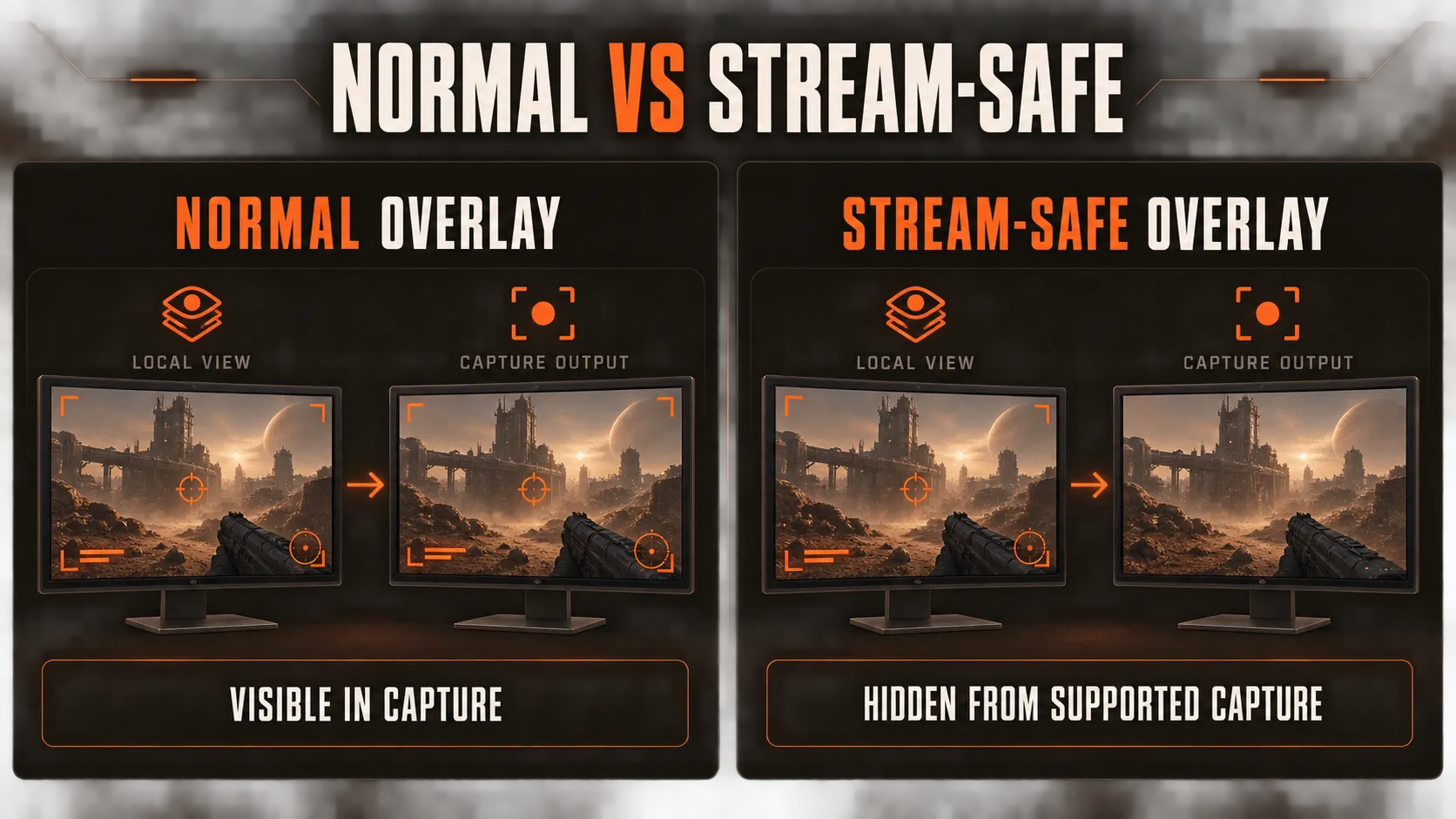
A stream-safe overlay uses a separate display or rendering path intended to remain visible locally while being omitted from supported capture output.
The exact implementation varies. Microsoft, for example, provides Windows developers with a display-affinity option that can exclude a window from supported capture APIs.
Microsoft also warns that this is not a security or DRM guarantee and does not protect against every possible way of copying what appears on a screen.
That limitation is a useful model for understanding stream-safe claims: capture exclusion is conditional, not absolute. See Microsoft’s display-affinity documentation.
This does not mean every stream-proof cheat uses that Windows function.
It shows why compatibility must be tested against the actual application and capture source instead of inferred from the label.
What Can Stream-Safe Mode Hide?
Stream-Safe Mode applies to visual output, so overlay elements are the relevant category.
| Element | Can a stream-safe system affect it? | Important limit |
|---|---|---|
| ESP boxes, skeletons and labels | Potentially | Only if that element uses the supported overlay path |
| Radar panel and entity markers | Potentially | The current build must support that panel specifically |
| Cheat menu | Potentially | Menu capture behavior may differ from in-game visuals |
| FOV circle or custom crosshair | Potentially | It may be captured if rendered through a different layer |
| Aimbot movement | Not as a behavior | Viewers can still see how the crosshair moves |
| No Recoil or No Spread behavior | Not as a behavior | Captured weapon handling can still look unusual |
| Game HUD, map and server details | Usually not | Those are part of the game image unless separately masked |
The practical distinction is simple: a capture filter can omit a supported visual layer, but it cannot rewrite the gameplay underneath it.
Our ESP and Wallhack controls and ARC Raiders Radar are useful examples of visual features.
That does not mean every item on either page is automatically excluded from every recording path. The current Stream-Safe specification and the exact capture setup still decide the result.
Game Capture, Window Capture and Display Capture Are Not the Same
Most unreliable “works with OBS” claims ignore the capture source.
That source can determine what enters the recording.
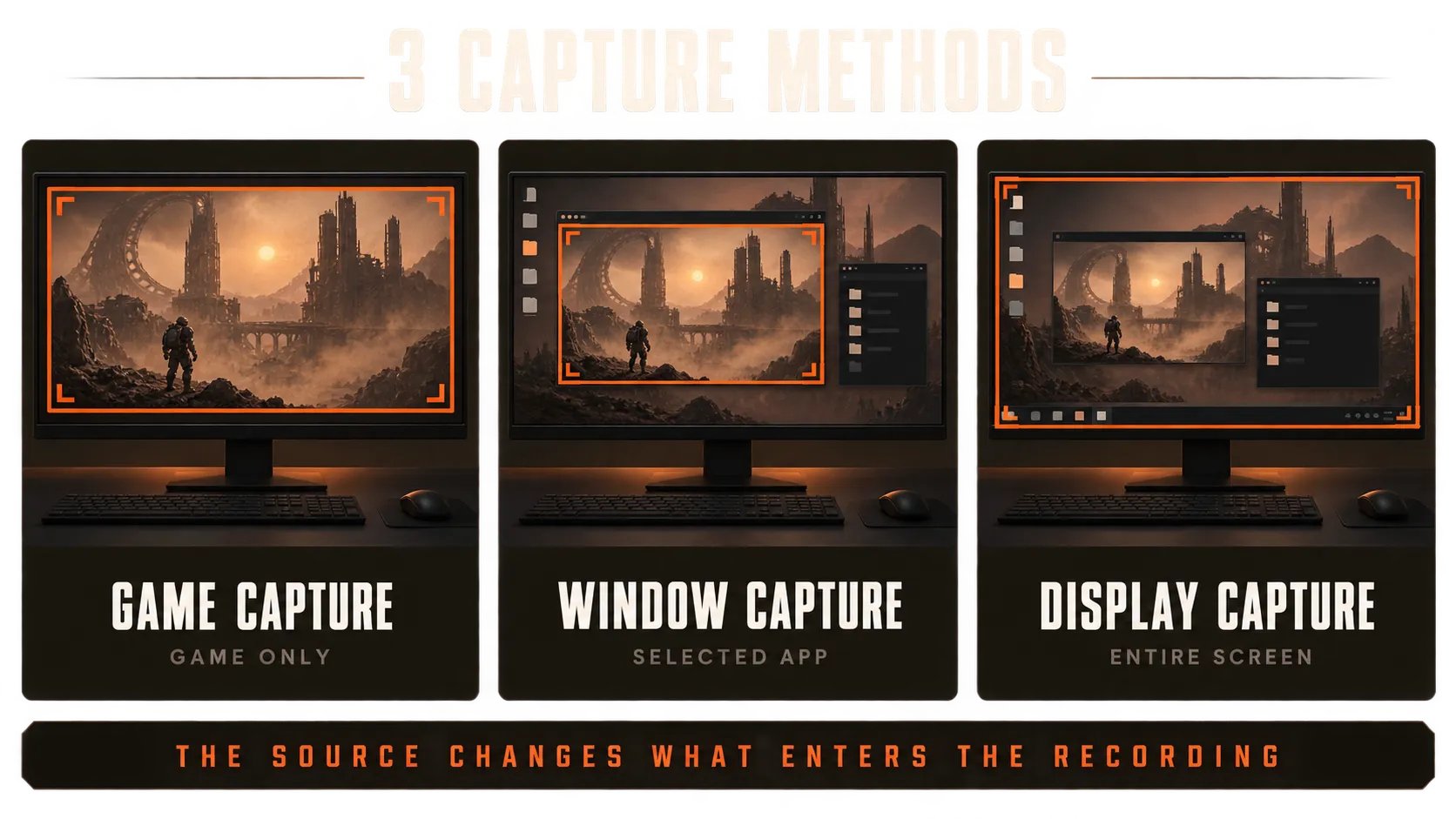
Game Capture
OBS says its Game Capture source directly captures the DirectX or OpenGL game and describes it as the most efficient way to add games on Windows.
Its settings also include a separate option to capture third-party overlays, which is off by default. See the official OBS Game Capture guide.
This targeted path is often the most predictable case for testing whether a supported overlay is excluded. It still does not prove compatibility with a specific product or every OBS configuration.
Window or Application Capture
Window capture targets a selected application window. Discord likewise lets users choose an individual application when starting a stream.
The selected application, graphics mode and way the overlay is attached can change the result. A successful game-window test does not automatically cover a different recorder or a later software update.
Full-Display or Monitor Capture
Full-display capture records a broader representation of the desktop. It can expose content that a targeted game source never receives.
Discord’s official guide confirms that users can share either an individual application window or an entire screen.
Those are distinct capture choices, so a private application-share test does not validate full-screen sharing. See Discord’s Go Live and Screen Share guide.
The safest editorial claim is therefore not “nothing can capture the overlay.”
It is: supported visuals can be excluded from supported capture output when the current build and capture method are compatible.
Does Stream-Safe Mode Work With OBS, Discord and Recordings?
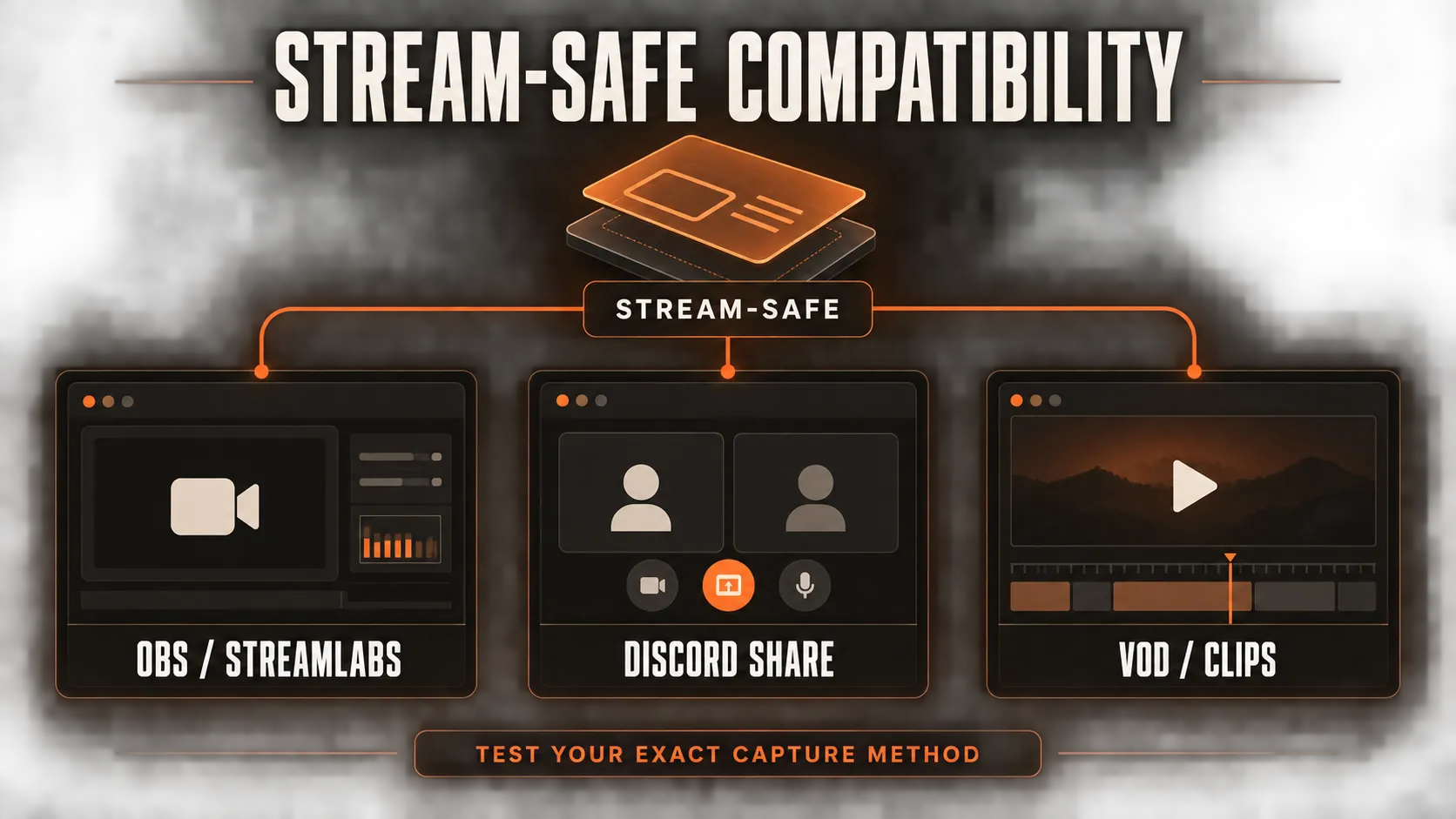
The current ARC Raiders Ultimate feature list verifies the following under Stream Protection:
- OBS and Streamlabs compatibility
- Discord screen-share compatibility
- Capture-card compatibility
- An instant toggle hotkey
- VOD and clip-safe output
- Lobby ID hashing
The same public specification does not identify every visual element excluded from capture.
It also does not document whether Game Capture and Display Capture behave identically, whether a particular display mode is required or whether Stream-Safe Mode is enabled by default.
We do not fill those gaps with assumptions.
Compatibility claims should stay tied to the current build, and the exact intended setup should be confirmed before a live broadcast or important recording.
What ARC Raiders Ultimate Means by Stream-Safe Mode
For ARC Raiders Ultimate, Stream-Safe Mode is the capture-protection part of the current feature set.
It is listed separately from Anti-Detection and the HWID Spoofer because it solves a different problem.
The cleanest way to understand our feature categories is:
| Feature category | Main question it answers |
|---|---|
| Stream-Safe Mode | Do supported visuals appear in compatible capture output? |
| Anti-Detection | What is the build’s current detection status? |
| HWID Spoofer | How are supported hardware identifiers handled? |
| Lobby ID hashing | Is identifying lobby information masked in the output? |
Our public specification confirms supported applications and output types, but it does not publish the rendering architecture or a universal guarantee for every capture path.
If you need to validate your exact setup, the free one-day ARC Raiders trial lets you test the current build before choosing a paid plan.
Stream-Proof Does Not Mean Undetected
This is the most important distinction in the article.
Stream-proof concerns what a compatible recording or broadcast can see. Undetected concerns the build’s current status relative to game security and anti-cheat systems.
| Claim | Concerns | Does it prove the other claim? |
|---|---|---|
| Stream-proof / Stream-Safe | Capture and rendering output | No |
| Undetected | Current anti-cheat detection status | No |
| Ban-proof | A guarantee against enforcement | No legitimate product can promise this |
A stream-safe overlay can still be detected by game security.
An undetected build can still expose its menu or ESP in an unsupported recording setup.
The two properties should never be bundled into one vague claim about “safety.”
Our guide to what “undetected” means owns the detection-status question, while our ARC Raiders anti-cheat guide covers the security systems themselves.
Stream-Safe Mode does not replace either topic.
Does Stream-Proof Reduce Anti-Cheat Risk?
No, not by itself.
Capture exclusion changes the output visible to a recording or stream. It does not decide what ARC Raiders, its anti-cheat stack or its enforcement systems can observe.
Stream-Safe Mode can reduce accidental exposure to viewers if the setup is supported and correctly tested.
It cannot make third-party software compliant with the game’s rules, prevent a report based on visible gameplay behavior or guarantee that an account will avoid enforcement.
That separation also prevents cannibalization between topics. The broader ARC Raiders cheats explained guide covers feature categories, while this page owns only the capture terminology and its limits.
Stream-Safe Mode vs ARC Raiders Streamer Mode
ARC Raiders has its own official streaming feature, but it solves a completely different problem.
Embark’s Streamer Mode includes Matchmaking Privacy.
According to the official support page, it adds a randomized matchmaking delay and changes the displayed server information to make stream sniping harder.
Embark also recommends covering the round timer, hiding map selection and adding a platform-level stream delay. See ARC Raiders Streamer Mode.
| Mode | Built by | Purpose | What it does not do |
|---|---|---|---|
| ARC Raiders Streamer Mode | Embark Studios | Makes matchmaking and server tracking harder for viewers | Does not hide a third-party overlay from capture |
| ARC Raiders Ultimate Stream-Safe Mode | ARC Raiders Ultimate | Excludes supported cheat visuals from compatible capture output | Does not prevent stream sniping or anti-cheat detection |
Both relate to streaming, but they work at different layers.
One protects matchmaking privacy. The other concerns capture output.
How to Check a Capture Setup Before Going Live
Do not use a public stream as the first compatibility test.
- Confirm the current product specification. Check that your streaming or recording application is listed for the current build.
- Use the exact capture source you plan to use. Game, window, application and full-display capture are not interchangeable.
- Record a short private sample. Include every visual element and menu state you expect to use.
- Review the exported file, not only the local preview. Confirm what the final recording contains from start to finish.
- Repeat the test after updates. Changes to the game, Windows, GPU drivers, recorder or product build can affect capture behavior.
- Keep a fast disable option available. A hotkey is useful when the output no longer matches the tested configuration.
This checklist verifies capture behavior only. It is not an anti-cheat safety test.
Key Takeaways
- Stream-proof and Stream-Safe describe capture behavior, not anti-cheat status.
- The term means supported visuals can be excluded from compatible stream, recording or screen-share output.
- Game Capture, application capture and full-display capture can produce different results.
- ARC Raiders Ultimate currently lists OBS, Streamlabs, Discord screen sharing and capture cards under Stream Protection.
- The public specification does not identify every hidden element or promise identical behavior across every capture method.
- Stream-Safe Mode does not make a cheat undetected, ban-proof or compliant with ARC Raiders rules.
- Embark’s official Streamer Mode protects matchmaking privacy and is unrelated to third-party overlay capture.
FAQ
What does stream-proof mean in an ARC Raiders cheat?
Stream-proof means supported cheat visuals can be excluded from compatible stream, recording or screen-share output while remaining visible to the player.
The result depends on the product, capture application and capture method. It is not a universal promise that every recorder will miss the overlay.
Is stream-proof the same as undetected?
No. Stream-proof describes capture behavior, while undetected describes the cheat’s current status relative to anti-cheat and game-security systems.
One does not prove the other, and neither means ban-proof.
Does Stream-Safe Mode work with OBS?
ARC Raiders Ultimate’s current feature list states that Stream-Safe Mode is compatible with OBS and Streamlabs.
Capture sources behave differently, so confirm the exact source and output in a private test before recording or going live.
Does ARC Raiders Ultimate support Discord screen sharing?
The current feature list states that Discord screen sharing is supported.
Discord can share an individual application or an entire screen, so test the exact option you intend to use instead of assuming both paths behave identically.
Can Stream-Safe Mode hide ESP and Radar?
ESP and Radar are visual overlays and are the kinds of elements a stream-safe system may exclude.
ARC Raiders Ultimate’s public specification does not identify every excluded element individually, so confirm the current build with support if a specific overlay is critical.
Does stream-proof hide an aimbot or No Recoil?
It can hide supported visual indicators, but it cannot erase visible gameplay behavior.
Crosshair movement, recoil behavior and the outcome of an engagement can still appear in captured gameplay.
Is Game Capture different from Display Capture?
Yes. Game Capture targets the game’s rendered output, while full-display capture records a broader desktop output.
A visual that is absent from one capture path may still appear through another.
Does Stream-Safe Mode work with every recorder or capture method?
No universal compatibility should be assumed.
Capture application, selected source, display mode, Windows version, graphics path and current product build can all affect the result. Test the exact configuration you plan to use.
Does stream-proof lower the risk of an anti-cheat ban?
Not by itself. Stream-proof controls what compatible capture output can see; it does not determine what ARC Raiders or its anti-cheat systems can detect.
It also cannot guarantee protection from reports or enforcement.
Is ARC Raiders Streamer Mode the same as Stream-Safe Mode?
No. ARC Raiders’ official Streamer Mode uses Matchmaking Privacy to make stream sniping harder.
ARC Raiders Ultimate’s Stream-Safe Mode concerns whether supported overlay visuals appear in capture output.